
This guide walks you through the process of reading and interpreting solar inverter error codes, covering the most common inverter brands and what their error messages typically mean.
What You'll Need
You don't need any special tools to check error codes on most residential inverters. What's helpful to have on hand:
Your inverter's owner manual (downloadable as a PDF from the manufacturer's website if you've misplaced the physical copy)
A smartphone or computer with internet access for looking up specific codes
Access to your inverter's monitoring app if your system has one (SolarEdge, Enphase, Fronius, SMA Sunny Portal, etc.)
A notebook or your phone to record the exact code or message displayed
Time required: 15–30 minutes to check, record, and research the code Difficulty: Beginner – no electrical work required for this step Cost: Free
Safety First
Before you approach your inverter, keep these points in mind. Solar inverters carry high DC voltage from your panels even when the AC grid is off, and they can hold a charge even after a shutdown. For this guide, you're only reading the display and checking the monitoring software – you are not opening the inverter, touching wiring, or performing any physical reset beyond the restart buttons some models have on the exterior. If a repair requires going inside the unit or touching electrical connections, that is a job for a licensed solar technician.
Do not stand on wet ground near the inverter. Do not touch the unit if you can see visible damage, burn marks, or smell something unusual. In those cases, contact your installer immediately and do not attempt any troubleshooting yourself.
Step 1: Check the Inverter Display
Most string inverters (the single box typically mounted near your main electrical panel or in the garage) have a small LED or LCD display on the front panel. Walk up to the unit and look at what it's showing.
A normal operating inverter will typically show a green LED or a display reading something like "Normal," "On," or a live power output number (in watts or kilowatts). If you see a red or orange LED, a blinking light, or a text message you don't recognize, that's your starting point. Write down exactly what the display shows – the exact code, abbreviation, or message text. Even something like "Err 102" or "Ground Fault" or "Isolation Fault" is your key to understanding what's happening.
Some inverters cycle through multiple screens. Give it a minute of observation to see if the display rotates through readings. The error or fault screen will usually be persistent or flagged with a specific indicator.
If your inverter has no display – which is common with older or more basic models – skip to Step 2 and rely on the monitoring app or indicator lights.
Step 2: Check the LED Indicator Lights
Many inverters use a system of colored LEDs to communicate status at a glance. While this varies by manufacturer, here's the general pattern you'll find across most major brands:
Solid green typically means normal operation. A flashing or blinking green usually means the inverter is in startup mode, often because the sun is still rising or clouds are affecting output – this is normal. A solid or flashing red indicates a fault that needs attention. Amber or orange often signals a warning, which may self-resolve but should be investigated. A completely dark display with no lights could mean the unit has lost power entirely, which is a different problem from an error code.
Note the color and behavior (solid, blinking, alternating) of every light you see on the panel, and write it down along with any codes.
Step 3: Open Your Monitoring App or Web Portal
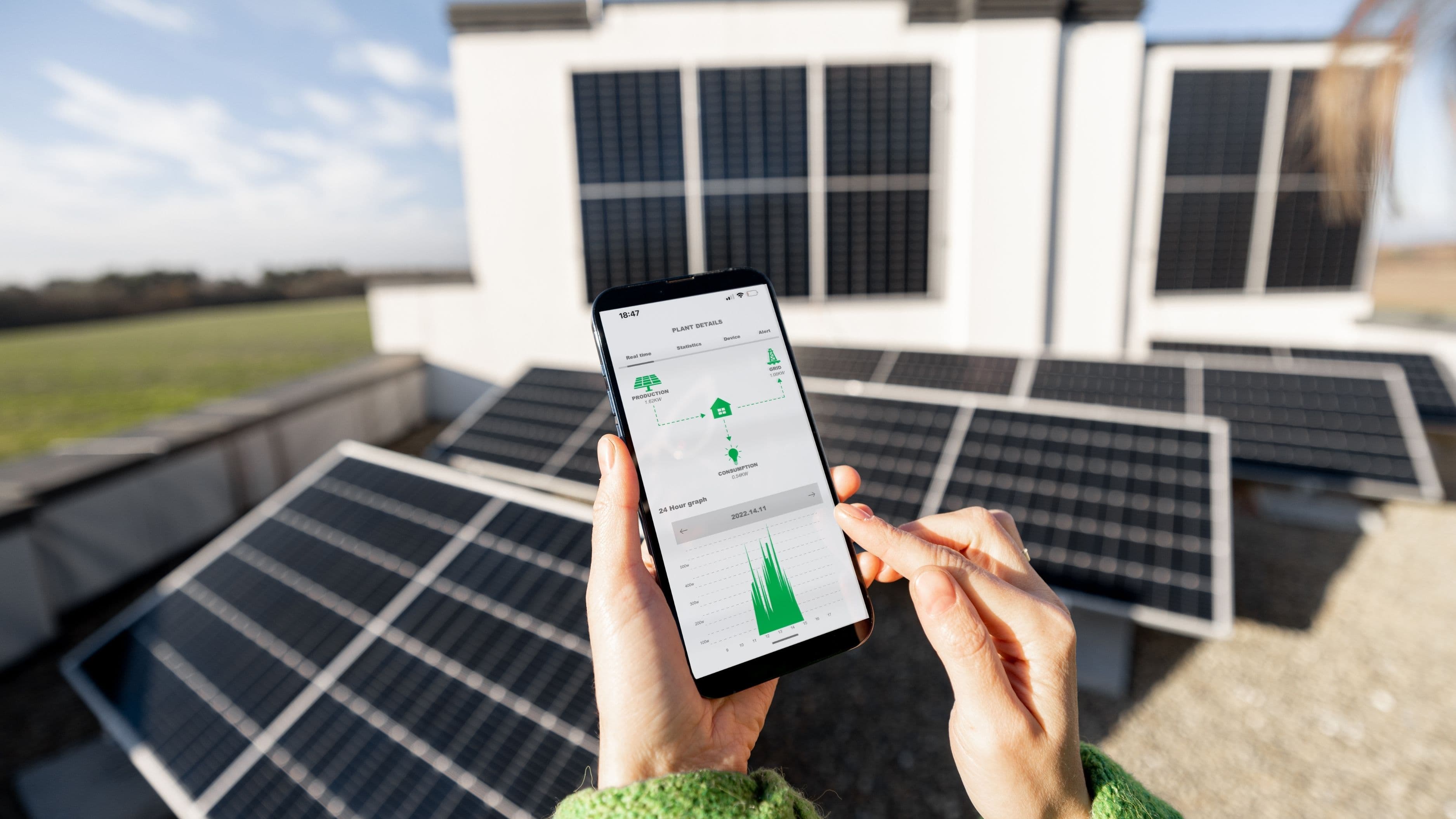
If your system was installed in the last several years, it almost certainly has online monitoring. This is often the clearest place to see what's wrong, because the app or portal translates raw codes into plain-language descriptions and logs the history of events.
Common monitoring platforms and where to find fault information:
SolarEdge: Open the MySolarEdge app or log in at monitoring.solaredge.com. Go to your site, tap on the inverter, and look under "Events" or "Alerts." SolarEdge typically shows descriptive fault names alongside error codes.
Enphase: Open the Enlighten app or visit enlighten.enphaseenergy.com. Microinverter systems show individual unit status – if one or more microinverters are flagged, they'll appear differently from operating units on the system diagram.
Fronius: Log in at solarweb.com. Your system dashboard will show active alerts under "Messages" or "Events."
SMA: Access via the Sunny Portal at sunnyportal.com. Faults and warnings appear in the device log and notifications section.
Growatt: Use the ShinePhone app or web portal at server.growatt.com. Error logs appear in the device detail section.
If you don't have login credentials for your monitoring account, check the paperwork from your original installation – your installer should have set up the account and provided login details. If you can't locate them, contact your installer to retrieve access.
Step 4: Look Up the Specific Error Code
With the exact code or fault description in hand, you now have two reliable ways to understand what it means.
Check the owner manual first. Most inverter manuals have a dedicated fault/error code appendix near the back, usually organized numerically or alphabetically. This is the most accurate source because it's specific to your exact model. If you don't have the physical manual, search "[brand] [model] owner manual PDF" – almost all major manufacturers make these freely available.
Search the manufacturer's support site. SolarEdge, Enphase, Fronius, SMA, and other major brands all have searchable knowledge bases. A search for your exact error code there will often produce a plain-language explanation and recommended first steps.
Here's a quick reference for the most commonly reported error categories across residential inverters:
Grid fault / Grid voltage out of range: The inverter has detected that grid voltage or frequency is outside the acceptable range. This can be caused by a grid disturbance in your area, a problem with your utility connection, or sometimes a loose AC connection at the inverter. The inverter disconnects from the grid as a safety measure. In many cases this self-resolves once grid conditions stabilize. If it recurs, contact your installer and your utility company.
Ground fault / Isolation fault: One of the more serious error types. It means the inverter has detected an unintended electrical path to ground in the DC side of the system – often a damaged wire, water intrusion, or a panel issue. Do not attempt to resolve this yourself. Contact a licensed solar technician.
Over-temperature: The inverter has gotten too hot and is throttling or shutting down. Check that the area around the inverter has adequate clearance for ventilation. If the inverter is in direct sunlight and not in a shaded location, discuss a shade cover with your installer. Clear any debris or dust from the vents.
Communication error / Monitoring offline: The inverter can't connect to the monitoring server. This is usually a Wi-Fi or network issue, not a solar generation problem. Check your router, verify the inverter's Wi-Fi or ethernet connection, and try rebooting the modem and router. Your system may still be generating power normally even with this alert.
Arc fault detected (AFCI): The inverter has detected a potential arc fault in the DC wiring. This is a safety shutdown requiring inspection by a technician before the system should be restarted.
PV isolation low: Similar to a ground fault – the DC insulation resistance has dropped below acceptable levels. Can indicate a wiring issue, damaged panel, or moisture ingress. Requires professional inspection.
Step 5: Attempt a Soft Restart (If Appropriate)
For error codes that indicate temporary conditions – grid disturbances, brief over-temperature events, communication dropouts – a restart will often clear the fault once the underlying condition has resolved. The correct restart procedure varies by brand, but the general approach for a string inverter is:
Turn off the AC disconnect switch (typically a breaker labeled "Solar" or "PV" in your main electrical panel). Wait two to three minutes. Switch the AC disconnect back on. The inverter will go through its startup sequence, which can take five to ten minutes, and should return to normal operation if the fault condition has cleared.
Some inverters also have a physical restart or reset button on the front panel – check your manual for whether yours does and how to use it.
Do not restart if the code indicates a ground fault, arc fault, isolation fault, or any fault that suggests a wiring or insulation problem. Restarting with those faults present can be a safety hazard.
Common Mistakes to Avoid
Ignoring a recurring error is the most costly mistake. A fault that self-clears and then returns repeatedly is telling you something is intermittently wrong. Log the date and conditions each time it appears – that pattern is useful information for your technician.
Assuming reduced output is normal when it isn't is another one. A 20–30% drop in daily generation compared to similar sunny days can indicate a fault that isn't showing a prominent error code, particularly with microinverter systems where individual unit failures can be subtle at the system level.
Attempting to open the inverter enclosure to inspect wiring or components is not something a homeowner should do. There is no DIY repair to the internal electronics of a solar inverter that is safe or advisable without professional training and equipment.
When to Call a Professional
Some situations require a licensed solar technician, full stop. Call your installer or a certified solar service provider when:
The error indicates a ground fault, arc fault, isolation fault, or PV isolation low condition
There is visible physical damage, burn marks, or an unusual smell near the inverter
The system has been offline for more than one full sunny day without explanation
A soft restart doesn't clear the fault, or the fault returns within hours
Your inverter is completely unresponsive with no display, no lights, and no monitoring data
Most installer warranties and some manufacturer warranties cover diagnostic visits. Check your documentation before assuming you'll be paying out of pocket – many fault conditions are covered, especially in the first five to ten years after installation.
FAQ
My inverter shows no error but output seems low. What should I check? Check your monitoring app for the generation history and compare similar sunny days over the past few weeks. Potential causes of reduced output without a fault code include shading from tree growth, soiling (dirt/bird droppings on panels), a failed microinverter that isn't prominently flagged, or seasonal angle differences. If the drop is consistent and significant, log a service request with your installer.
How do I find my inverter model number? It's on a label on the side or back of the unit. It will say something like "Model:" followed by an alphanumeric string. You'll need this when searching for the correct manual or contacting support.
Can error codes clear themselves? Yes, some can. Temporary grid disturbances, brief over-temperature events, and communication errors often self-clear once conditions normalize. Persistent codes – particularly anything related to ground faults, arc faults, or wiring – will not self-resolve and require attention.
My monitoring app says "no communication" but the inverter looks fine. Is this serious? Usually not immediately. Communication errors are often network-related. Your system is likely still generating power. Restart your router and check the inverter's network connection. If communication doesn't restore within 24–48 hours, contact your installer.
How often should I check my inverter even when there's no problem? A quick visual check of the status light once a week takes thirty seconds and can catch issues early. A review of your monitoring app's generation data once a week is also a good habit – unexplained dips in production are sometimes the first sign of a developing fault.
Understanding what your inverter is trying to tell you puts you in a much better position – whether that's fixing a simple network issue yourself, knowing whether it's safe to restart, or walking into a service call with the right information already in hand. Most error codes look more alarming than they are. A few genuinely need immediate professional attention. Now you know the difference.
📚 Sources
SolarEdge – Inverter Error Codes and Troubleshooting Guide – https://knowledge-center.solaredge.com/sites/kc/files/se-inverter-installation-guide.pdf
Enphase Energy – Troubleshooting Microinverter Issues – https://support.enphase.com/s/article/Troubleshooting-a-microinverter
Fronius – Solar Inverter Fault Codes Reference – https://www.fronius.com/en/solar-energy/installers-partners/technical-data/all-products/inverters
SMA Solar Technology – Sunny Boy Inverter Operating Manual – https://files.sma.de/dl/1353/SB3-5-1AV-41-BE-en-10.pdf
U.S. Department of Energy – Solar Photovoltaic System Troubleshooting – https://www.energy.gov/eere/solar/solar-photovoltaic-technology-basics
National Electrical Code (NEC) – Article 690: Solar Photovoltaic Systems – https://www.nfpa.org/codes-and-standards/all-codes-and-standards/list-of-codes-and-standards/detail?code=70